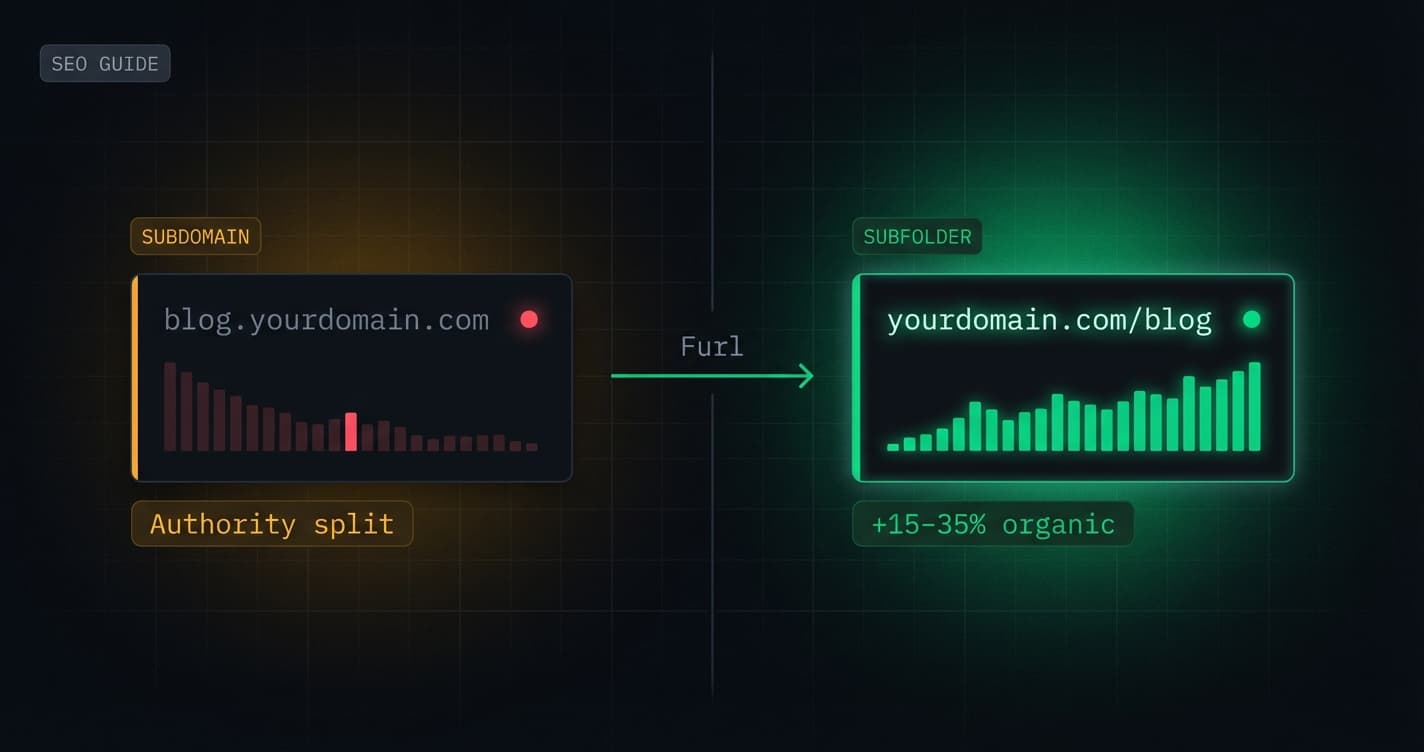
Stop splitting your domain authority
Route /blog, /docs, and /shop to any platform — from one dashboard, no server required.
Start for free →The core problem
If your blog lives at blog.yourdomain.com instead of yourdomain.com/blog, you're splitting your domain authority. Every backlink your blog earns goes to the subdomain — a separate entity in Google's eyes — not your main domain.
Typical organic traffic increase after migrating from subdomain to subfolder, within 90 days
Source: HubSpot, 2024 SEO benchmark study
This isn't a theory. It's been documented across hundreds of migrations. The fix is subfolder routing — but historically, doing it right required a reverse proxy server or a custom Cloudflare Worker. Furl removes that entirely.
Why subdomains hurt your SEO
Google has repeatedly confirmed that subdomains are treated as separate sites for the purposes of authority, crawl budget, and trust signals. John Mueller stated this directly in multiple Google Search Central office hours.
When a journalist links to blog.yourdomain.com/my-article, that PageRank flows to blog.yourdomain.com. When someone links to yourdomain.com/blog/my-article, it flows to yourdomain.com.
Over months and years, this compounds dramatically.
Subdomain vs Subfolder
How Furl solves it
The setup process
Add your DNS records
Log in to your DNS provider and add two records. Furl shows you exactly what to create after you add your domain.
Wait for verification
Furl polls DNS every 5 minutes and emails you the moment both records resolve. Usually under 10 minutes.
Create a route
In the dashboard: Sites → Routes → New Route. Set path to /blog,
destination to your WordPress/Framer/Webflow subdomain, and save. Live in under
1 second.
Verify in browser
Open https://yourdomain.com/blog in an incognito window. You should see
your content, served under your domain, with a green lock.
Latency: edge vs server
A common concern with reverse proxy setups is latency. A VPS in us-east-1 adds round-trip time for users in Singapore or São Paulo.
Furl runs at the Cloudflare edge — the routing decision happens at the data centre nearest to each user, not on a central server.
Furl edge latency vs Nginx VPS (avg)
Benchmarks compare Furl against a $40/month VPS with a global CDN in front, running nginx. Methodology: repeated cold-cache requests over 7 days from each location.
Link rewriting: the detail most setups get wrong
When WordPress serves a page, it injects links pointing to yourblog.wordpress.com. Without rewriting, clicking any internal link would take your visitor off your domain.
Furl intercepts the response body at the edge and rewrites every internal reference:
This covers: internal <a> tags, <link rel="canonical">, og:url meta tags, CSS background-image references, and Location: redirect headers.
Canonical URL
The authoritative URL for a piece of content, specified in the HTML head. Search engines use this to determine which version of a page to index when the same content might be accessible at multiple URLs.
Example: <link rel='canonical' href='https://yourdomain.com/blog/my-post' />
Related: 301 Redirect, Hreflang, Duplicate Content
Platform-specific considerations
Different platforms need slightly different treatment. Furl handles this automatically when you select the platform type, but it's worth understanding what's happening under the hood.
Platform notes
The migration checklist
Before you flip DNS
- ✓Audit existing canonical URLs with Screaming Frog
- ✓Export your current sitemap.xml
- ✓Set up 301 redirects from old subdomain URLs to new subfolder paths
- ✓Verify WordPress/Webflow custom domain settings allow the new domain
- ✓Test in staging environment (using /etc/hosts override)
- ✓Monitor Search Console for crawl errors in the week after launch
Furl vs the alternatives
How Furl compares to DIY approaches
✓ = supported natively, ✗ = not supported, Manual = requires custom code
What to expect after migration
Typical SEO timeline post-migration
Day 1–3
Google picks up redirects
Googlebot follows your 301 redirects and begins updating its index. Submit the new sitemap in Search Console to accelerate this.
Week 1–2
Re-indexing begins
New canonical URLs start appearing in search results. You may see a temporary dip in impressions — this is normal during re-indexing.
Week 4–6
Authority consolidation
Link equity from old subdomain backlinks flows to the main domain as redirects are processed.
Month 3+
Measurable gains
Teams typically see 15–35% organic traffic improvement as consolidated authority lifts all pages, not just the migrated content.
Video walkthrough
Next steps
Just getting started?
The quickstart guide walks you through the first route from zero — DNS records, verification, and your first live subfolder in under 10 minutes.
Expert insights
"Consolidating our blog onto the main domain was the single highest-ROI SEO change we made all year. Organic traffic up 28% in 90 days."
Maya Chen
VP Marketing, Sendflow
"The fact that Furl handles link rewriting automatically is what sold me. Every DIY setup I tried broke canonical URLs."
Tom Ridler
Tech Lead, Buildbase
Tools mentioned
Related posts